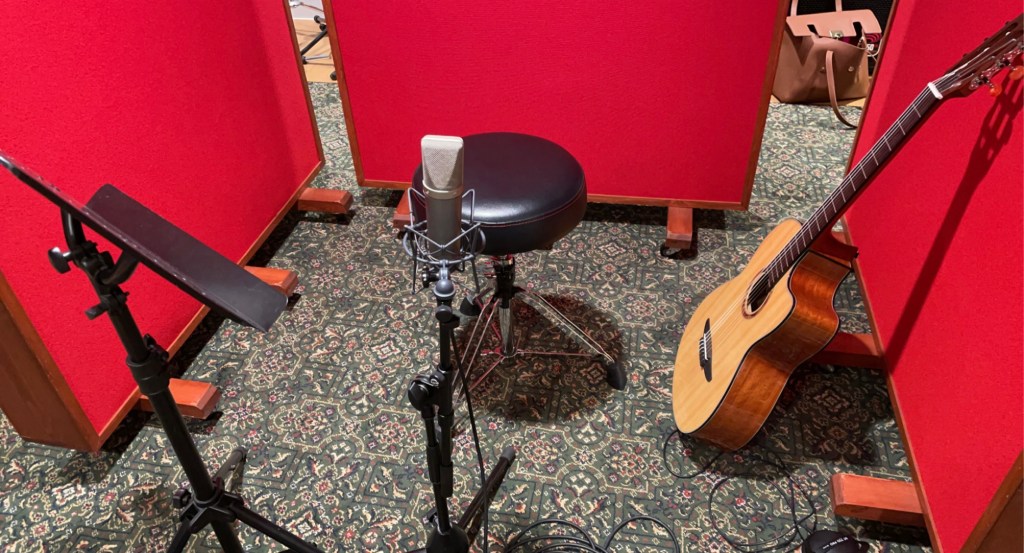
To record the guitar, I set up three Gobos around the Neumann U87 large diaphragm condenser microphone and the acoustic guitar. I directed the mic at the sound hole of the guitar as this is where the main body of the sound is released. The Neumann creates a rich, dense and warm tone which is what I wanted for my piece. I then ran an XLR cable from the Neumann into channel 1 on the snake cable stage box which corresponds to mic 1 on the stage box. After connecting a set of headphones so that Eleanor will be able to hear herself play as well as the click track, I proceeded to create a parent folder on the Mac and set up a new Pro Tools session, directing the saves to this folder. I created one mono audio track which will record output from the Neumann, a master fader to control the overall summed audio output for the project and a click track to help the performer keep in time. I also ensured that phantom power applied to the Neumann on the desk otherwise we would get little to no sound from the mic as it needs Direct Current in order to drive circuitry.
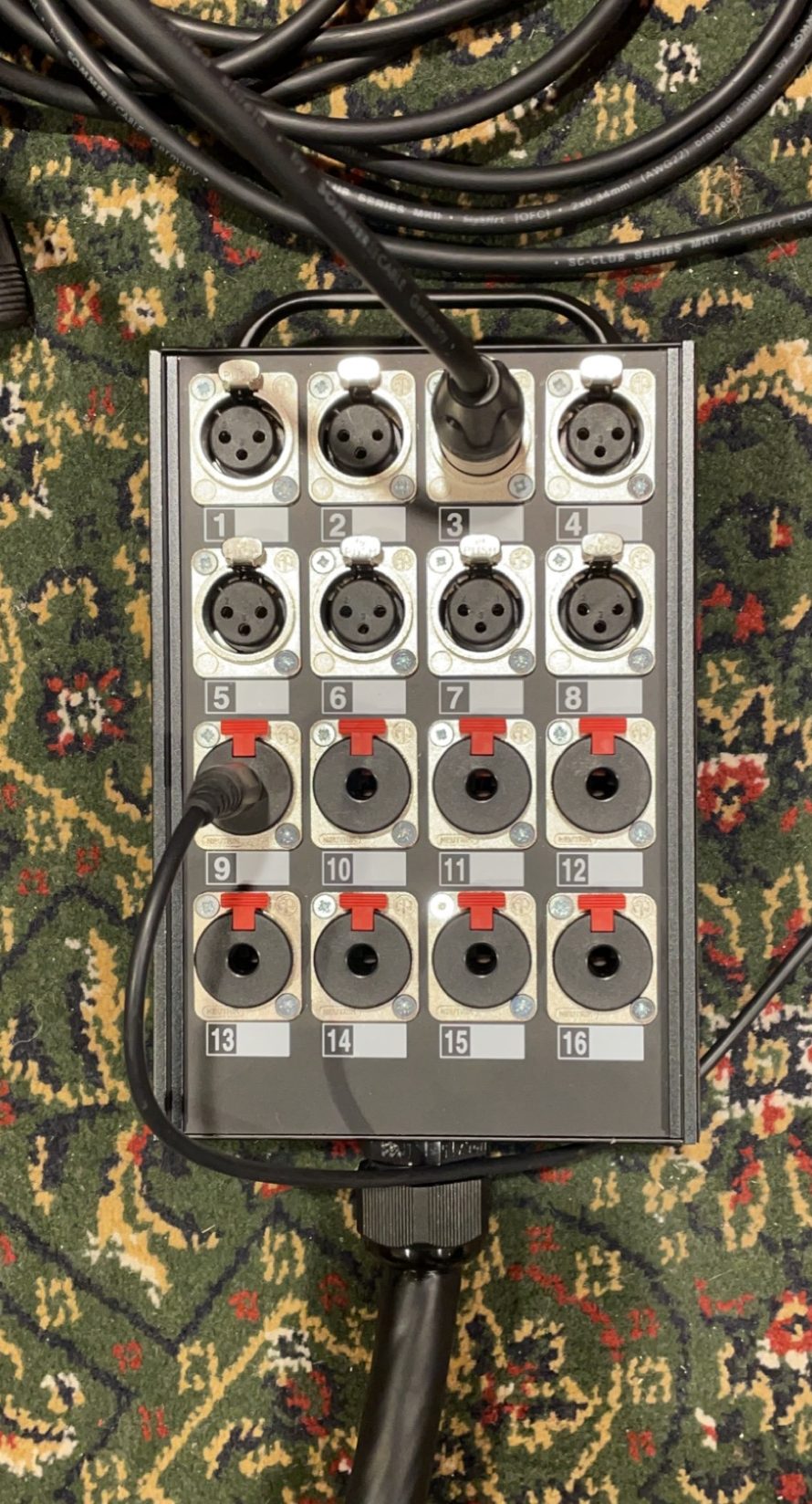
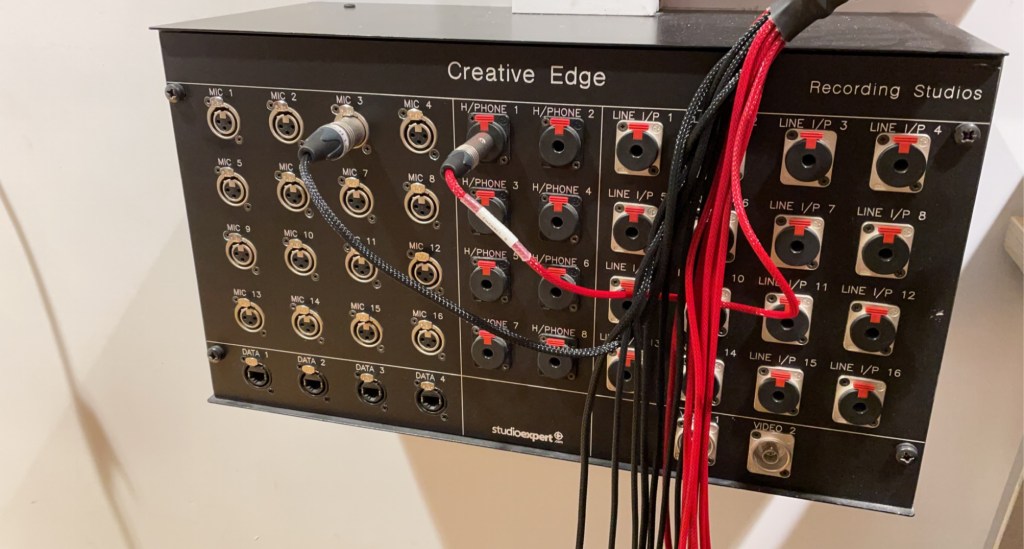
When testing to see if any audio was coming through to the mixing desk, the levels were extremely low. After trying to fix this issue through increasing the gain and changing cables, I decided to change the outputs on the snake cable and stage box in order to be more time efficient. We found that when we changed the cables to input 3 and Mic 3, everything worked perfectly. I then performed a gain test in which I got the performer to play the loudest parts of the piece to ensure that there is no clipping and that I have enough headroom – “the amount by which the signal-handling capabilities of an audio system exceed a designated nominal level” – Wikipedia (2021). This ensures that there is a buffer incase the performer plays louder than expected. I recorded multiple takes so I had multiple options for my final mastering.
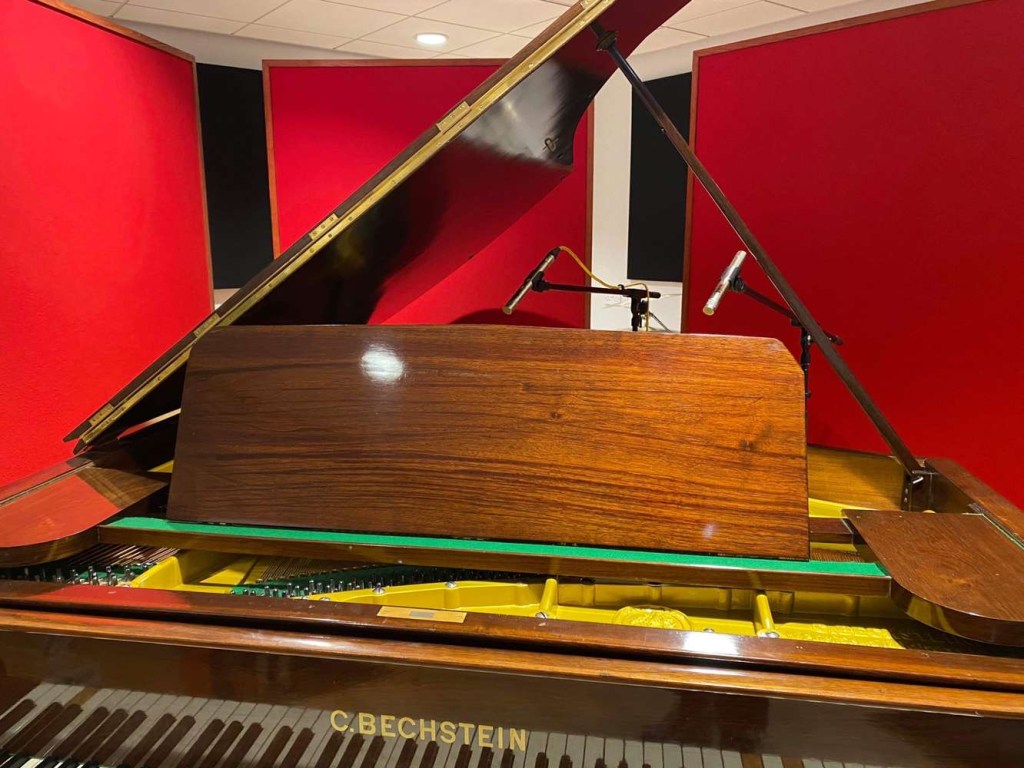
I then recorded vocals and piano for the piece. For the piano, I began by clearing the floor and pushing the piano into the middle of the studio. This way, I recorded the natural harmonics and reverberation provided by the room. This reverb was managed by using the gobos in a similar way as how I recorded the guitar. I used two AKG small diaphragm condenser pencil microphones in a spaced pair design. These mics produce a clean and directed sound which is ideal for recording piano. One was directed between the high and middle strings of the piano, and one directed was between the low and middle strings of the piano. This way, I was able to record a wide range of frequencies from the piano and, consequently, a broader, more full sound. I then added two mono audio tracks to the pro tools project and connected each microphone to the snake cable and stage box. These microphones also needed phantom power applied to them so I again ensured that this was active on the tracks. After running a gain test to make sure I had enough headroom and it was free of clipping, I recorded Jude playing the piano chords onto the project with multiple takes.
For the vocals, I simply placed three sound panels around the Neumann U87 large diaphragm condenser mic as I wanted the vocals to be very warm in tone. I added another mono audio track onto my pro tools session, made sure phantom power as applied and conducted a gain test before finally recording. This concluded the recording section of my project and meant that I could move on to the mixing and mastering aspect of the assignment.
References
WIKIPEDIA., 2021. Headroom (Audio Signal Processing). [online] Available from: https://en.wikipedia.org/wiki/Headroom_(audio_signal_processing) [Accessed 20 May 2021]
 Sarahs Sound Dubbing Blog